 AI Router
Provider manager
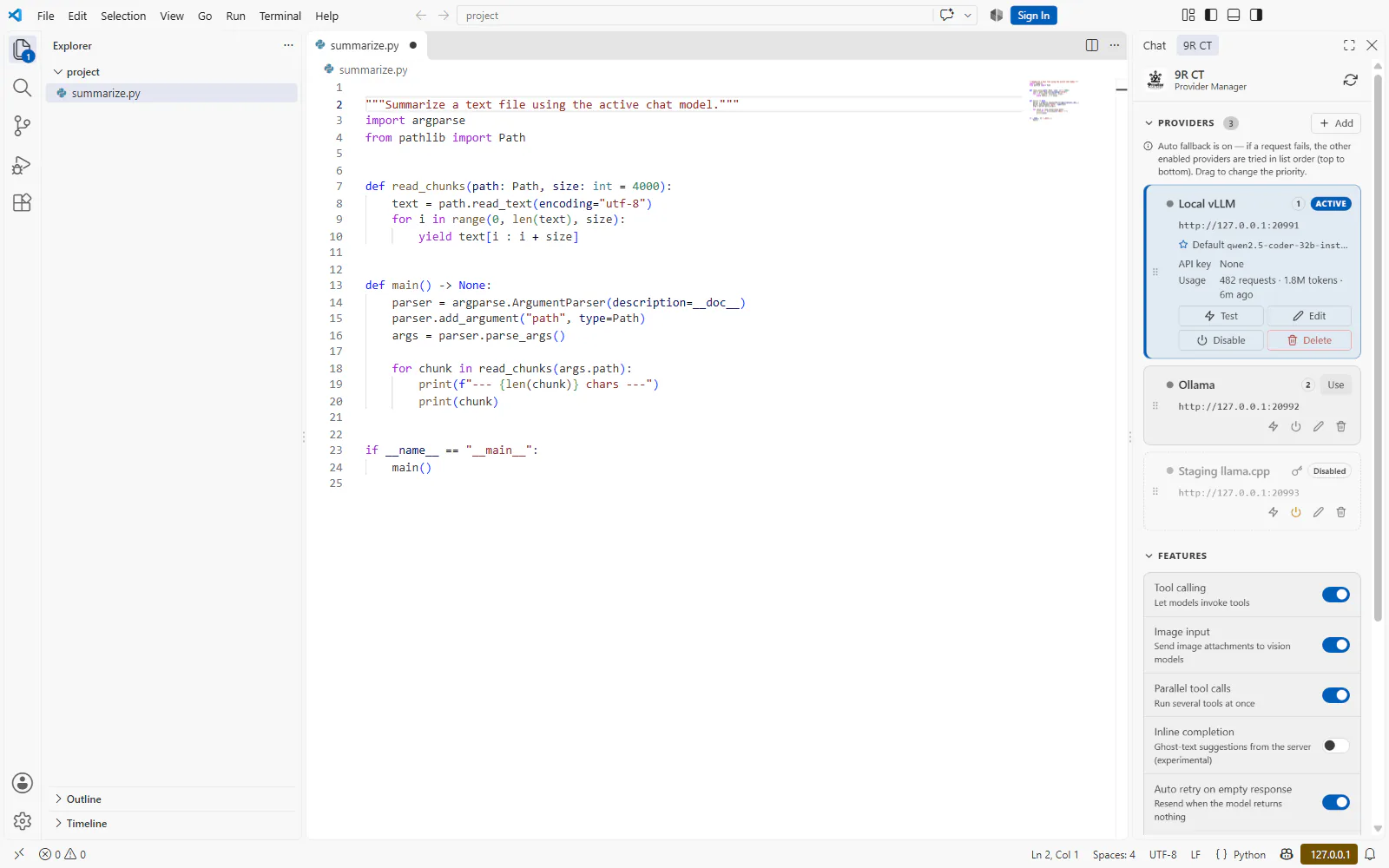
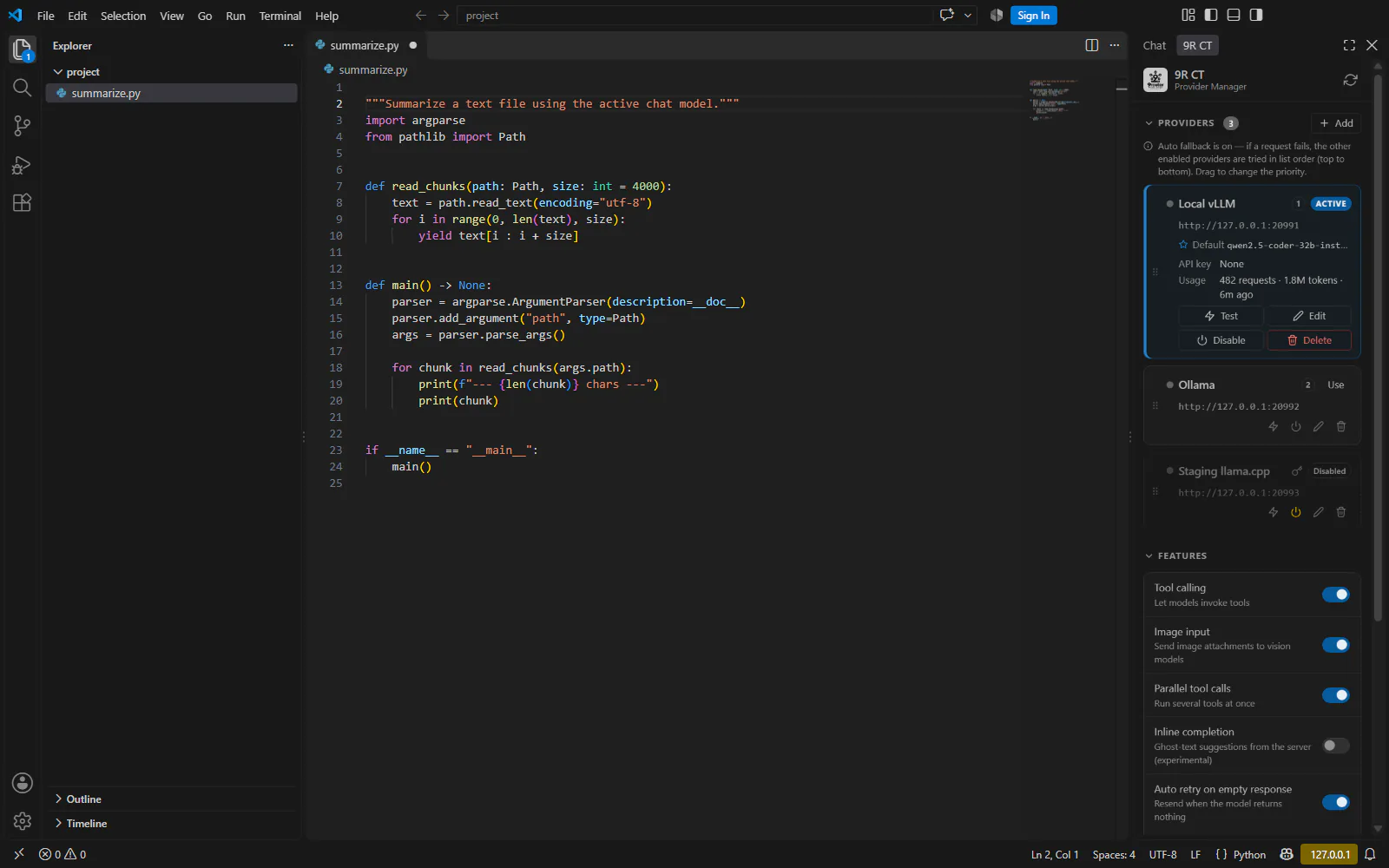
Add, edit, test, enable or disable and reorder servers from the 9R CT view in the secondary side bar.
- API keys live in VS Code secret storage, never in settings
- Disabled providers stay editable and testable
Coming soon — still in development
Your own OpenAI-compatible server, inside the VS Code Chat view.
Adds OpenAI-compatible servers (9Router, vLLM, Ollama, LM Studio, llama.cpp and others) as language model providers in the VS Code Chat view.
Not released yet — install links will appear here when it ships.
What it does
Point the Chat view at any server that speaks the OpenAI API — 9Router, vLLM, Ollama, LM Studio, llama.cpp, LocalAI, LiteLLM or anything else — and pick its models right in the model picker.
Self-hosted models are not always as well-behaved as a hosted API. AI Router smooths the rough edges:
Supported servers
If it answers the OpenAI API, it can be a provider. Add as many as you like and order them by priority.
Enter the bare domain; AI Router appends /v1, /v1/models and /v1/chat/completions itself.
Key features
The 9R CT view brings providers, feature switches and models together, next to Chat.
Add, edit, test, enable or disable and reorder servers from the 9R CT view in the secondary side bar.
Tool calling, image input, parallel tool calls, inline completion, auto retry on empty responses and auto fallback — each a single switch.
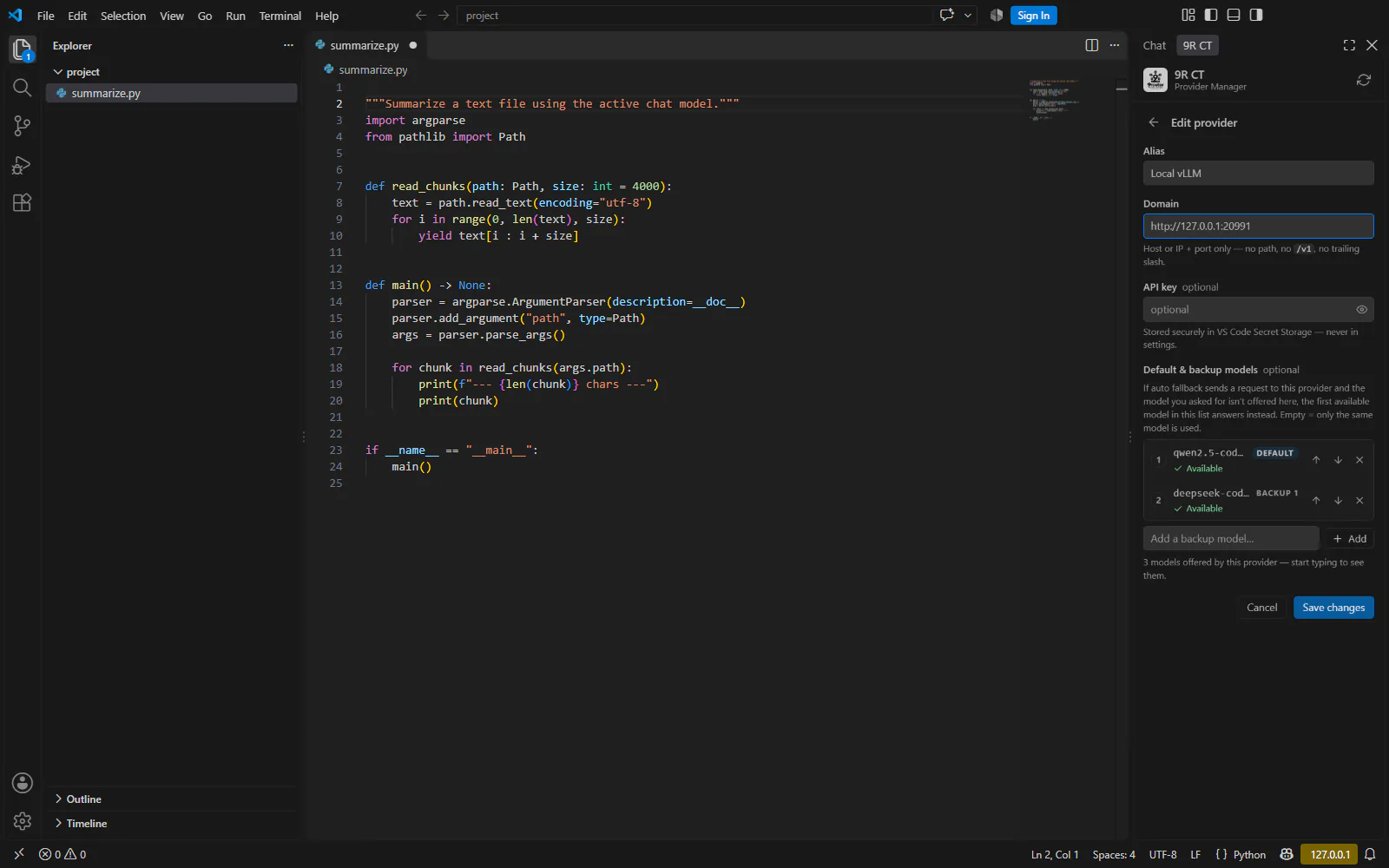
List a provider’s models, rename them for display, mark which accept tools or images, and pin the ones you use often.
Give each provider a default model and up to seven backups, as an ordered list. The default also leads the picker.
When a request fails in a way another server could resolve, it is retried on your other enabled providers, in list order.
Optional ghost-text suggestions from your server, with their own model, token, debounce and timeout settings.
Prompts and file contents go only to the server you configure. Verbose request logging is off unless you turn it on.
A soft dark palette tuned to stay at or above WCAG AA, readable light themes, untouched high-contrast themes, and reduced-motion support.
Screenshots
How it works
Install the extension and open the 9R CT view. It lives in the secondary side bar, next to Chat.
Press Add and enter the server’s domain only, for example http://localhost:20128. No /v1 — the extension appends it. Add an API key only if the server needs one.
Press Test. The extension reads /v1/models and tells you exactly why if something is wrong.
In the Chat view’s model picker, choose a model under the extension’s entry. Requests go to /v1/chat/completions on your server.
Settings & commands
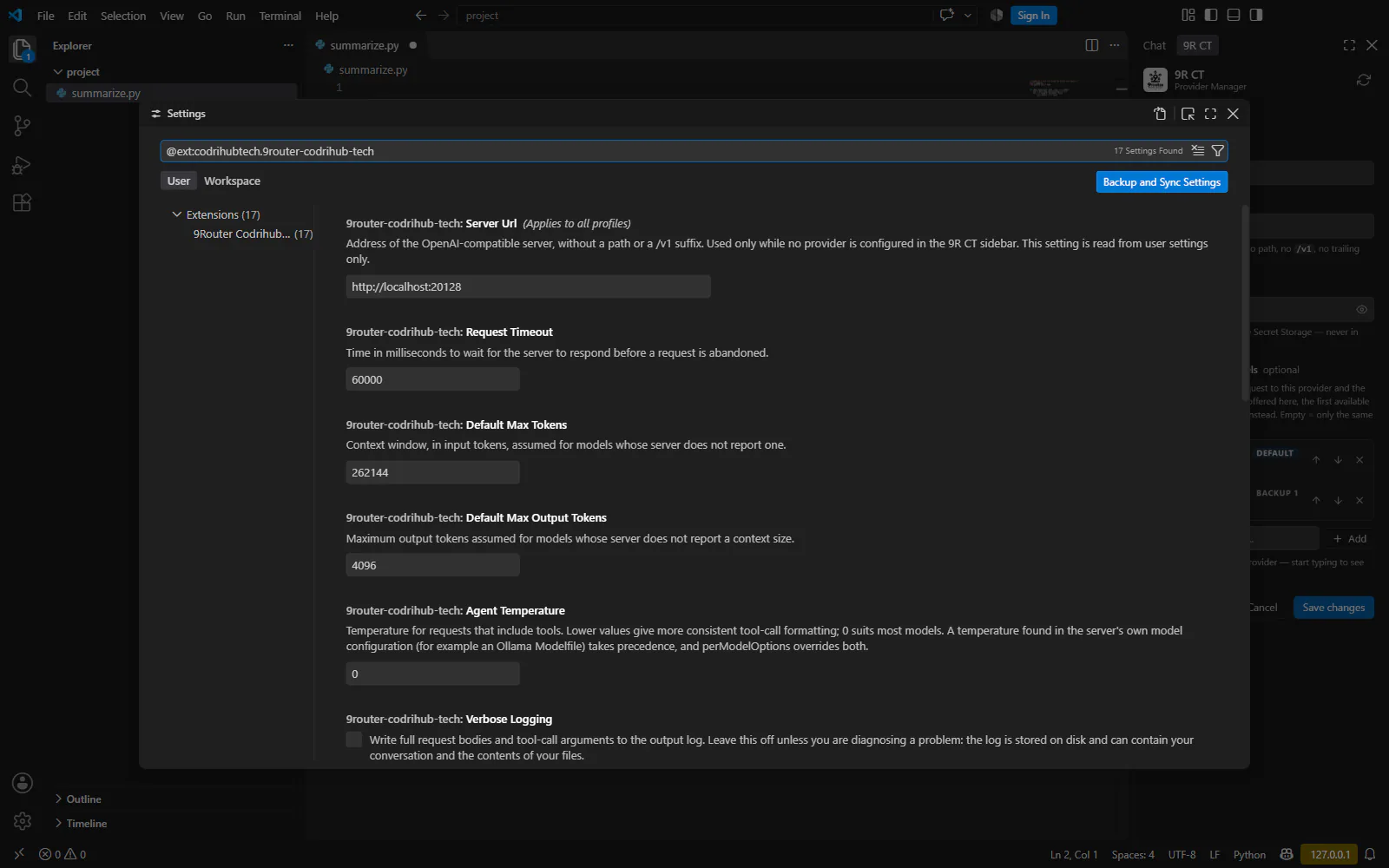
Feature switches live in the side bar. The settings below cover defaults, limits and advanced per-model tuning.
| Setting | Default | What it does |
|---|---|---|
serverUrl | http://localhost:20128 | Used only while no provider is configured in the sidebar. |
requestTimeout | 60000 | Milliseconds before a request is abandoned. |
defaultMaxTokens | 262144 | Assumed context window when the server reports none. |
defaultMaxOutputTokens | 4096 | Assumed max output tokens when the server reports none. |
agentTemperature | 0 | Temperature for requests that include tools. |
modelContextWindows | {} | Per-model context window overrides; * matches a family. |
extraModelOptions | {} | Extra parameters merged into every request, e.g. top_k or seed. |
perModelOptions | {} | Per-model request parameters; a trailing * matches a family. |
autoRetryMaxAttempts | 2 | Retries for an empty response; 0 disables it. |
fallbackCooldownSeconds | 60 | How long a failed provider waits before rejoining fallback. |
verboseLogging | false | Full request bodies in the output log. Leave off unless diagnosing. |
inlineCompletion* | see editor | Model, max tokens, debounce, timeout and prefix/suffix size. |
API keys and custom HTTP headers are kept in VS Code’s secret storage, not in settings.
Coming soon — still in development
AI Router is still being polished and is not available to install yet. Every install channel below will open once it is released.